The Pit at UBC – Audio System Setup
This document describes how to set up and use the L-Acoustics speakers from the Behringher X-32 digital audio mixer.
System installed by Kian Sound of Vancouver, BC.
Video of the DJ room rack
Quick video of the rack in the DJ room, showing the Xilica, patch panel, LA4X, and X32
System Components
- Case #1 – Dual DL-16 Digital Snakes
- Case #2 – Behringer X32
- Inside the DJ booth is a tall rack:
- Xilica – The box at the top of the rack, routes signals to amps
- Patch Panel – Look for the Ethercon outlets marked “A” and “B” that are connected to the ones on the pony wall behind the stage.
- LA4X – Amplifier and signal conditioner for the L-Acoustics speakers
- L-Acoustics Main House Speakers hung in front of the stage
- Subwoofers on either side of the stage
- Mackie monitors hung from the ceiling in front of the stage
PIT Pub Audio Procedure
Part One – Getting the mixing board in place and connected.
1. Check at the back of the stage that the connections from the DL16 stage boxes are powered up and patched correctly. Outputs 1 & 2 are for the Mackie Monitors, Outputs 3 & 4 will need to be connected each time to the “BOOTH” jacks on the back patch panel. (On DJ nights those are patched from the DJ mixer so you will need to remove the patch to those jacks at the end of the night.) Confirm that the purple Ethercon digital snake connector is patched from the top DL16 box (A) to the (A) jack on the back panel.
2. Bring the X32 mixer case over to the AV booth counter and take the lid off, leaving the X32 sitting in the bottom tray. Plug in the IEC power cable and power it on.
3. Connect the purple Ethercon digital snake cable from the Ethercon patch point (A) on the A/V Rack to the Ethercon (A) jack on the X32.
4. Connect the standard Cat5 Ethernet cable from the dedicated audio wi-fi router to the ETHERNET jack on the X32 to allow iPad control of the X32 via the wi-fi network.
5. Connect the 3 analog XLR connections from A/V Rack SUB and X32 L+R to the X32 6, 7 and 8 XLR outputs (6 goes to SUB, 7+8 go to L+R) The labelled XLR cables should be found on the counter in close proximity to the mixer.
6. Load the startup scene in the X32 by accessing the Scene Memory Bank and loading SCENE #1 called PitDigitalSnake. You cannot save over this scene but you may change it and save your own scene in a different memory slot.
7. Making sure the X32 master fader is down, unmute the first 3 Input and Output channels of the Xilica rack unit found near the top of the AV Rack. 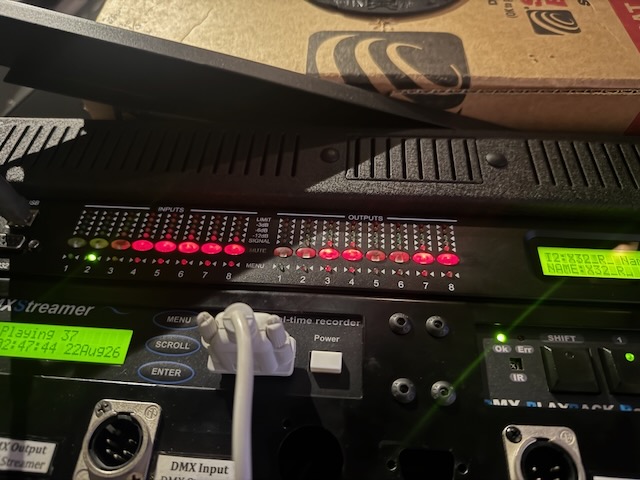
Inputs and outputs 1 to 3 correspond to L+R and SUB. The bank of 8 LEDs on the left side show the inputs and the bank of 8 LEDs on the right show the outputs. So the first 3 LEDs should be unlit on each of those sides.
8. Unmute the first 2 channels of the LAX4 unit that is a little lower in the A/V rack to send signal to the L-Acoustics processors and amps. The muted state shows a white light, so make sure the light is unlit for 1&2.
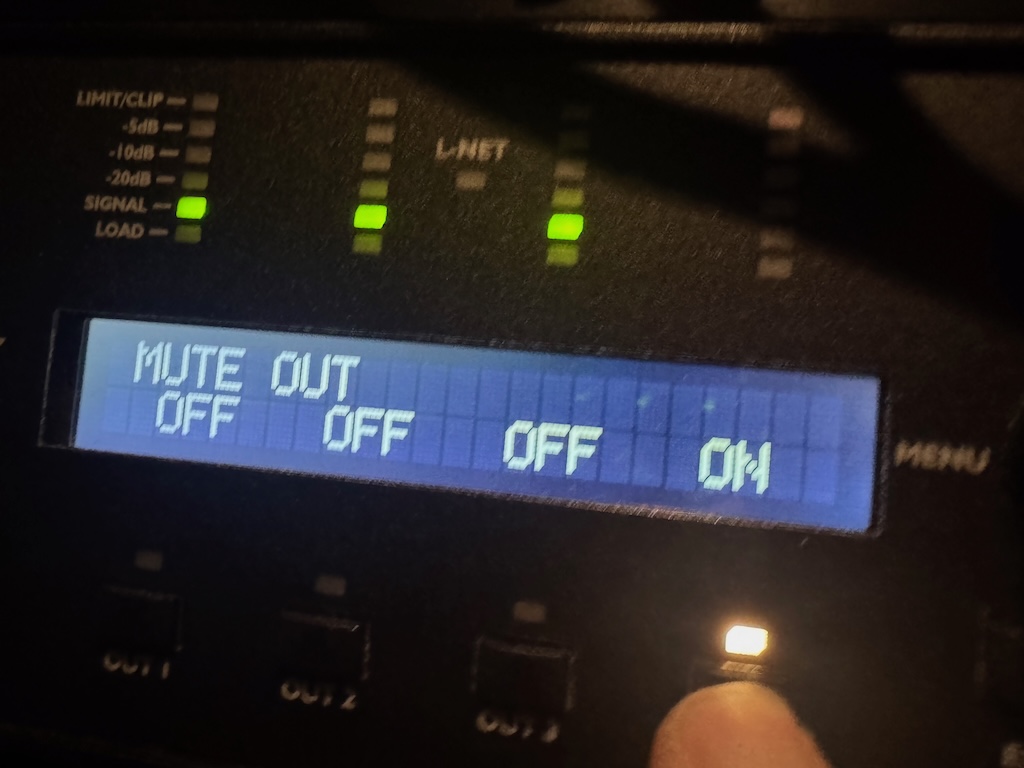
9. At this point the system is fully “live” and it should be possible to hear sound from the PA. Use the iPad app to remotely control the mixer from anywhere in the room. Keep a close watch on the iPad and don’t let it disappear.
10. Mute the feed to the distributed sound system via the Crestron tablet so that audio from the mixer doesn’t get routed to the distributed sound throughout the bar.
Part 2 – Connecting mics and getting sound in the mains and monitors.
1. The first 8 channels of the board (which is also the first layer view) are for the drum channels and bass. Channels 9 through 24 are open for instruments, whether DI or mic. Channels 25 to 30 are set up for Vocals 1 through 6 and are already set to a nominal level and in the front monitors and should work with minimal adjustment needed.
2. The Drums channels are (1) Kick Drum, (2) Snare drum, (3) Rack Tom 1, (4) Rack Tom 2, (5) Floor Tom, (6) Mono Overhead. If the kit is a 4 piece kit with a single rack tom skip tom 1. They are already set to a nominal level and should be in the ballpark for most drum kits.
3. The stage monitors are sent via AUX 1 through AUX 4. AUX 1 & 2 are the Mackie SRM450s that are hanging in front of the stage. The big hanging JBL monitors are on AUX 3&4. They correspond to Left and Right as seen when looking at the stage.
4. The SUBS are fed via AUX16 as a post fader send (following fader levels). Only sources with very low frequency information that require SUB support (such as kick drum, bass, possibly floor tom, etc) need to be sent to the SUB.
Part 3 – End of the night procedure.
1. Turn down or mute the master fader and mute the AUX sends to the monitors, or mute all inputs on the board or do both for maximum safety.
2. Mute the Xilica Inputs and Outputs 1-3 and mute the LAX4 1&2 (lights will now be illuminated white)
3. Disconnect all cables from the X32 and put the lid back on. Stow cables neatly nearby on the counter.
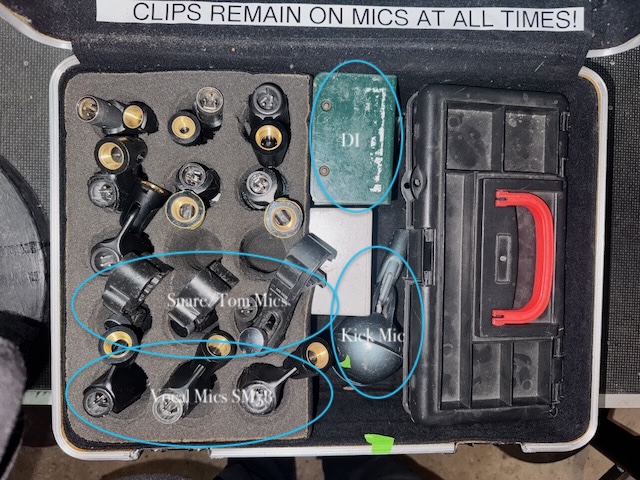
4. Put away all mics, stands, cables, etc. *KEEP ALL MIC CLIPS ON THE MICS WHEN PACKING UP. DO NOT LEAVE CLIPS ON THE MIC STANDS*
Cheers!
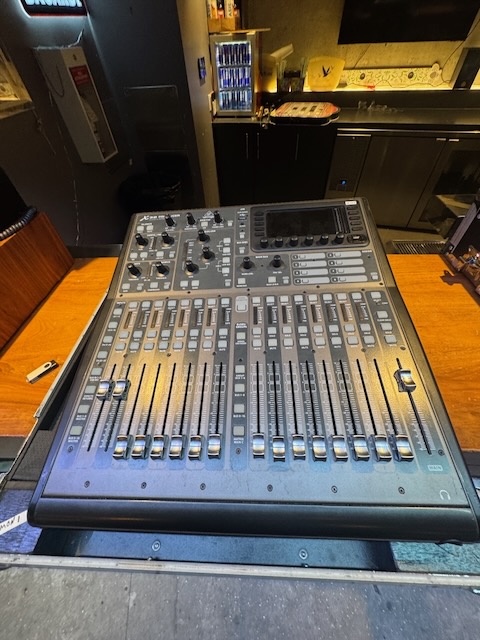
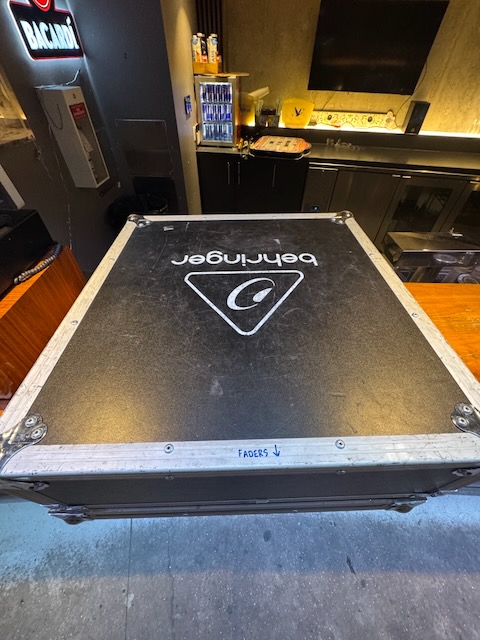
The Behringer X32 PRODUCER Digital Audio mixer in its road case
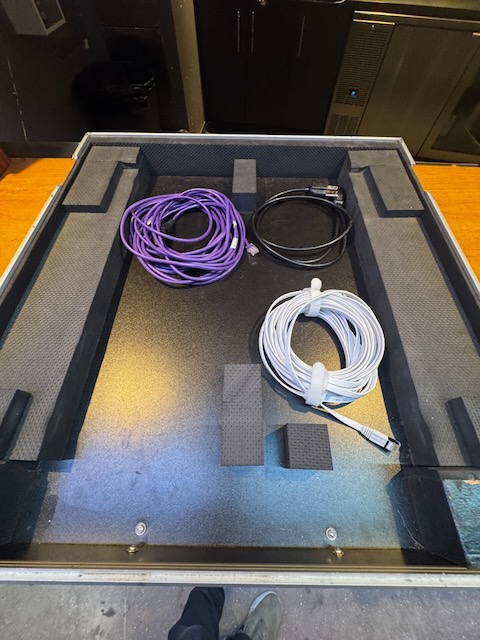
3 cables in the bottom of the X32 box –
- Power AC Cable,
- Powers the behringer mixer
- Purple Ethercon connector,
- Connects the mixer to the digital preamps near the stage
- Ethernet cable
- Connects the mixer to the wireless router to use an iPad to control the mix
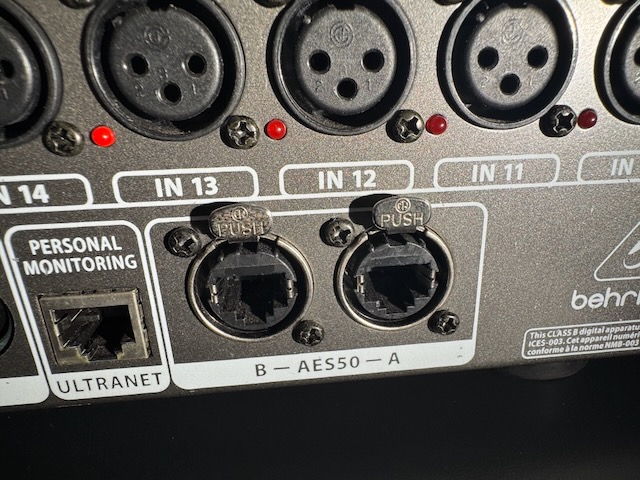
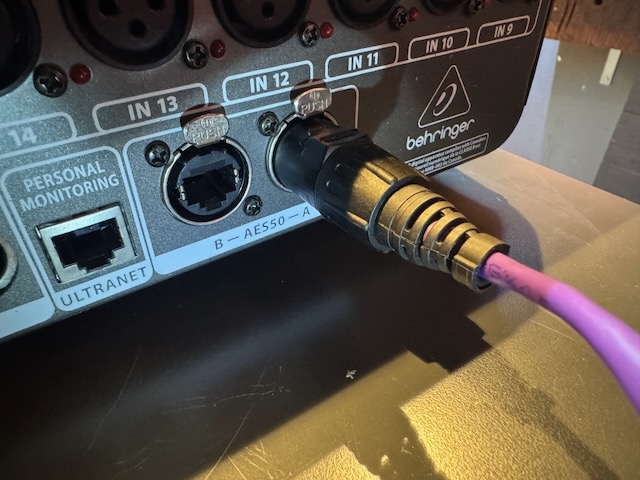
The purple connector links the mixer to the pair of DL16 preamps at the stage. It connects to the AES50 – A connector on the back of the mixer
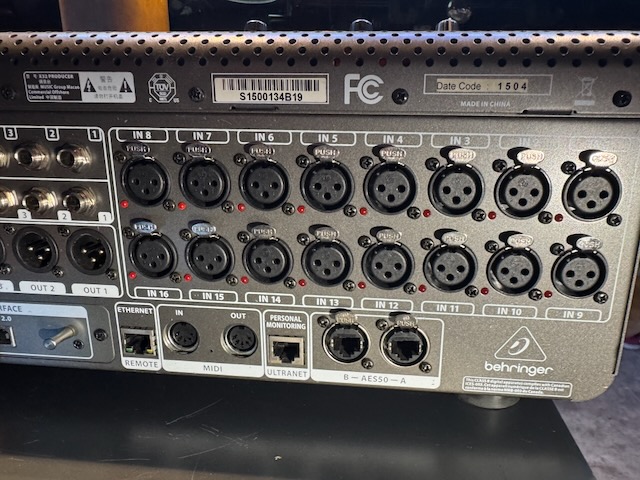
The back of the X32 Producer mixer
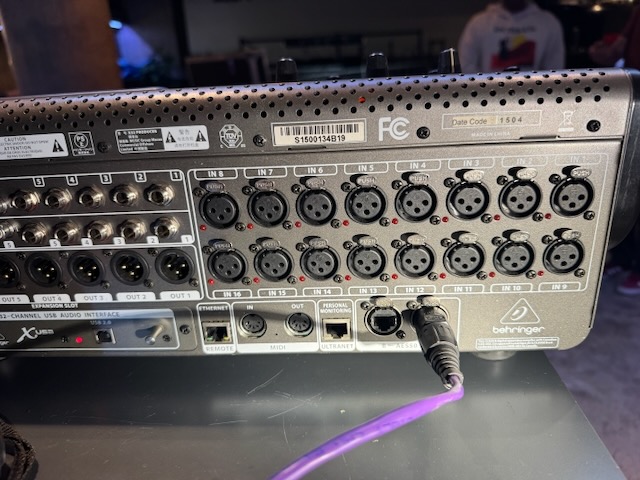
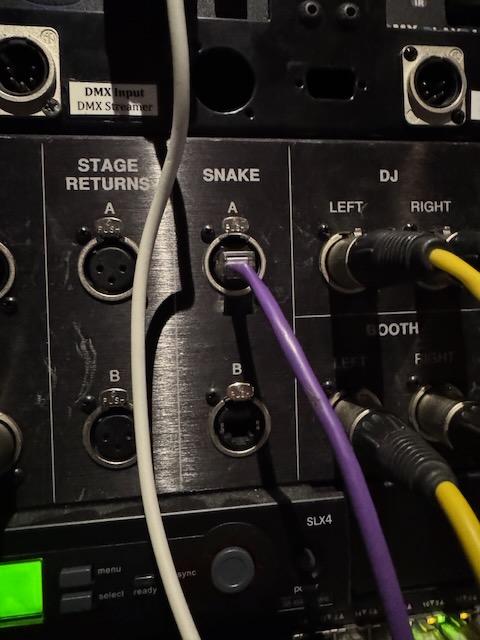
The purple Ethercon cable links the mixer to the patch panel in the both marked Snake A
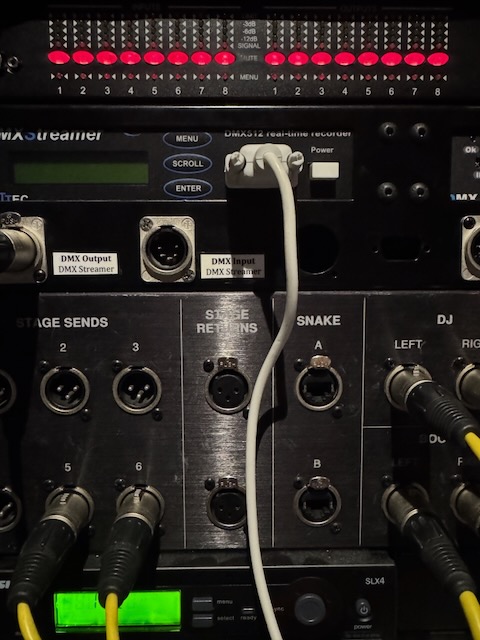
The top of the booth rack houses the Xilica digital router. Inputs on the left outputs on there right. You need to unmute them to get audio to the power amps below.
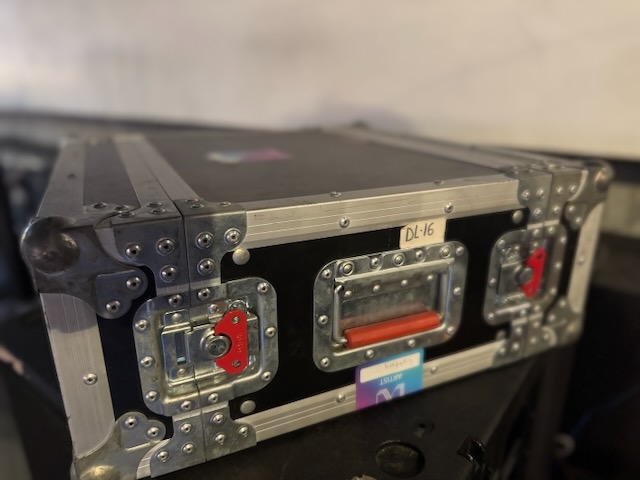
The Behringer DL16 preamps and analog-to-digital devices sit near the stage and all the mic inputs go into it and all the monitor sends come back through it. The Main house system and Subs are patched from the X32 into the Xilica and LA4X amp in the audio booth
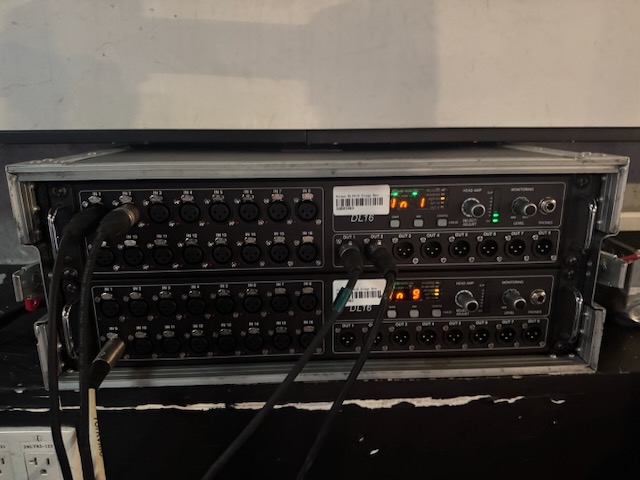
Dual DL16s for up to 32 mic inputs and 16 bus sends
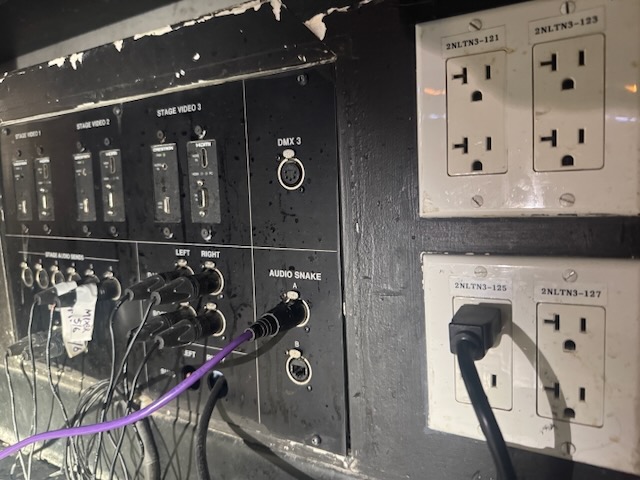
The DL16s are linked and the purple Ethercon cable connects at the stage side to the Ethercon connector marked Audio Snake A
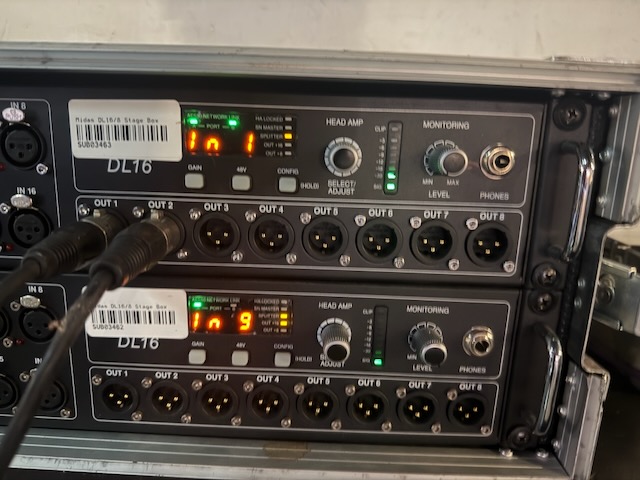
You can see the levels by selecting which input you want to monitor marked “Head Amp”. The top device controls mics 1-16 and the bottom are 17-32.
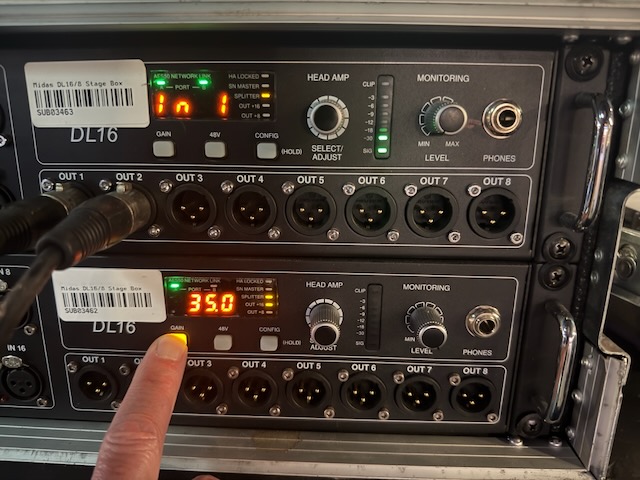
You can adjust the mic gain by holding the gain button and turning the Head Amp knob, but better to adjust it from the AES50 page in the Behringer MX-Mix iPad app.
The pit mic box. Make sure to keep clips and mics together